Quick picks
Best overall
Skyrover S1 if this is drone one; X1 if sensing and the bigger sensor are the point
Best budget
Skyrover S1 drone-only or combo—do not buy X1 to 'future-proof' an open-field hobby
Best for beginners
Skyrover S1 — longer rated battery, simpler sensing story, lower crash-anxiety price
Best for travel
S1 for pack-and-practice; X1 for cities, trees, and vertical social clips
No subscription
Neither requires a content cloud; optional CARE is crash coverage, not Netflix for drones
| Product | Best For | Joy Score | Key Strength | Main Drawback | Price | CTA |
|---|---|---|---|---|---|---|
| Skyrover S1 Skyrover | Beginner travel, open landscapes, and buyers who want more minutes per charge. | 8.3 | Beginner price and endurance | Limited obstacle sensing | $230-$400 | Check Price |
| Skyrover X1 Skyrover | City and forest obstacles, low light, true 4K vertical, and slow-motion clips. | 8.5 | Sensing and camera headroom | Price vs S1 endurance | $410-$820 | Check Price |
Buying checklist
- OK Name the scene you actually fly: open travel, city obstacles, Reels, low light, or budget.
- OK If trees and buildings are normal, pay for X1's 360° sensing instead of extra S1 batteries.
- OK If you only post vertical, X1's true 4K vertical beats S1's 2.7K.
- OK If minutes in the air matter more than HDR, S1's 40-minute rating wins.
- OK Confirm live bundle contents (batteries, screen remote, card) on the product page.
Last updated: . Buying advice reviewed for relevance, hidden costs, and current page links.
Skyrover S1 vs X1: Which Mini Drone Should You Buy?
S1 and X1 are the same assignment in different grades: foldable, under 249g, 4K camera drones aimed at people who do not want a registered brick in the backpack. The wrong purchase is not “the slower one.” It is paying for 360° sensing you will never use, or skipping it and donating a gimbal to a pine tree.
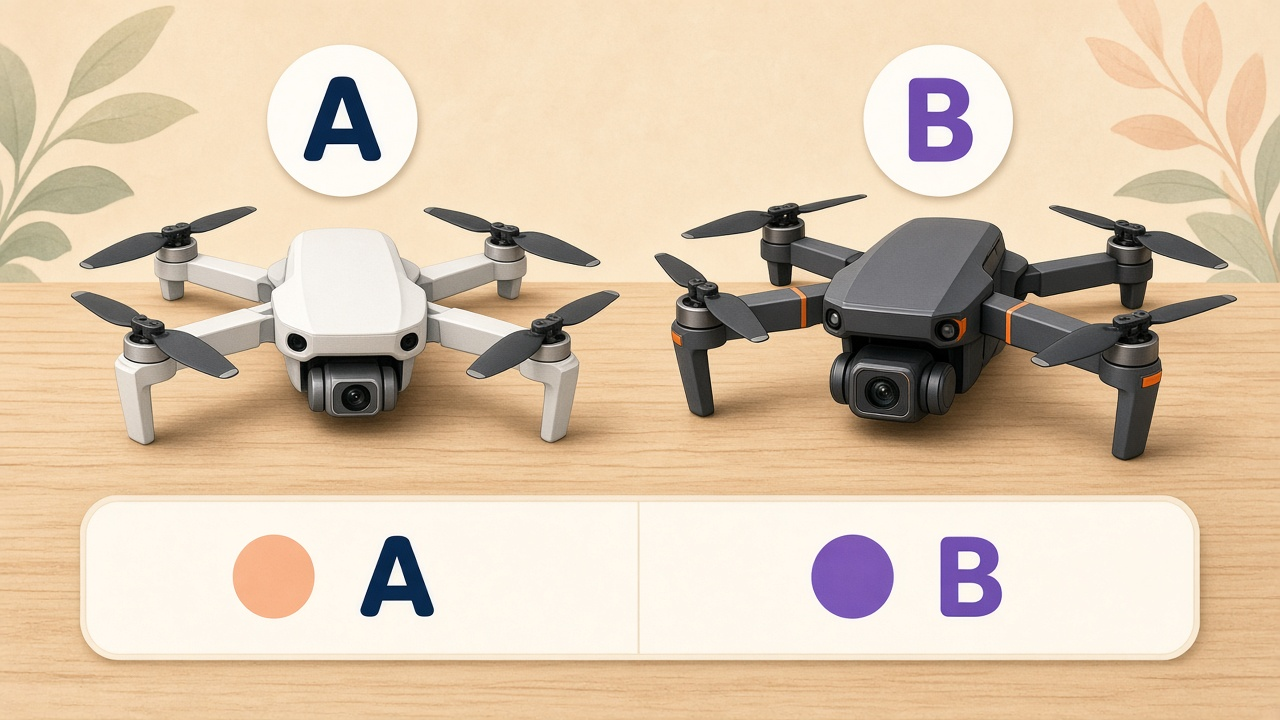
Short answer: S1 is the beginner default. X1 is the upgrade for obstacles, low light, and true 4K vertical. DeviceJoy may earn a commission if you buy through links on this page. Specs below are from Skyrover’s product pages and collection copy as of 15 September 2026, not a DeviceJoy flight lab.
If you still need the FAA weight-class explainer, start with Under 249g Camera Drones: No-Registration Beginner Picks.
Scene table: pick the job, then the drone
| Scene | Better fit | Why | Skip if |
|---|---|---|---|
| Beginner travel, beaches, overlooks, family trips | S1 | Longer rated battery, lower from-price, enough 4K for vacation clips | You already crash near trees on day one |
| City obstacles, courtyards, forest edges | X1 | 360° sensing vs S1’s forward/down only | You only fly soccer fields |
| Vertical Reels / Shorts / TikTok | X1 | True 4K vertical vs S1 true 2.7K | Casual stories are fine at 2.7K |
| Low light, dusk, indoor-adjacent (still legal outdoor) | X1 | Larger 1/1.32” sensor, HDR, AI Night Mode | You only fly midday |
| Budget / “I might not keep flying” | S1 | About $230–$400 vs $410–$820 | You know you want the X1 feature set |
Neither drone is waterproof. Neither is a Part 107 paperwork exemption. Rated transmission (7.45 mi S1 / 9.32 mi X1) is a lab ceiling. Stay in visual line of sight.
Head-to-head specs
| Factor | S1 | X1 | What actually decides it |
|---|---|---|---|
| Weight class | Under 249g | Under 249g | Tie for U.S. recreational registration |
| Sensor | 1/2” Sony | 1/1.32” CMOS | X1 in mixed light |
| Video | 4K/60 | 4K/60 HDR, 4K/100 | X1 for slow motion and HDR |
| Vertical | 2.7K true | 4K true | X1 for native portrait |
| Color | SR-Log 8-bit | SR-Log / 10-bit HLG | X1 if you grade |
| Tracking | Auto Track | Dual Track + Spotlight | X1 for dual subjects / spotlight |
| Sensing | Forward + down | 360° | X1 near clutter |
| Rated flight | Up to 40 min | Up to 32 min | S1 for practice volume |
| Rated range | 7.45 mi | 9.32 mi | Neither should be flown to the number |
| Wind | Level 5 | Level 5 | Tie; still a small quad |
| From-price (research date) | ~$236 | ~$413 | S1 unless you need X1 features |
Skyrover’s tables disagree on S1 aperture (f/1.7 on the S1 product comparison, f/2.8 on the homepage). Confirm before you treat aperture as a reason to upgrade. Sensor size is the stable claim.
Shared kit: 3-axis gimbal, GPS-class return-to-home on low battery or signal loss, SmartGo-style one-tap shots (Lift, Loop, Twist, Vista, Asteroid), optional 5.5-inch 700-nit screen remote, Level 5 wind class, roughly 5°F–104°F operating window on published footnotes.
Recommendation ladder
Work top to bottom. Stop at the first “yes.”
- This is drone zero, open landscapes, tight budget. Buy S1. Get a combo if you want more than one lab battery’s worth of practice.
- I will fly next to trees, hotels, or street corridors. Buy X1. S1’s side blind spot is the expensive lesson.
- Vertical is the product. Buy X1 for true 4K vertical. S1’s 2.7K vertical is the compromise, not a crop of the same sensor story.
- I care about dusk and interiors-adjacent exteriors. Buy X1 (larger sensor, HDR, AI Night Mode). S1 can record at night; Skyrover says it lacks X1’s night mode.
- I want both endurance and protection. You cannot have 40-minute X1 sensing. Choose minutes (S1) or coverage (X1), then add batteries.
- I fly for money. Weight class does not skip Part 107. Register, ask Skyrover about Remote ID for that use, and treat S1 vs X1 as a camera/sensing choice only.
As of 16 September 2026, Skyrover advertised a U.S. promotion ending 30 September 2026 (S1 from ~$236, X1 from ~$413, CARE and card terms on specific combos). Official terms: September deals. Check the live store before you assume those numbers.
Honest cons on both sides
S1: Forward/down sensing, 2.7K vertical, 8-bit log, smaller sensor. Fine until the obstacle is beside you. One public review described a lateral tree strike that the advertised sensors were never going to catch.
X1: You pay more for a shorter rated pack. 360° sensing still needs light and texture. Buyer notes around ~20 minutes of real flying vs 32 minutes rated are the expectation to budget for, not a scandal by itself.
Both: Lab range, no rain, extra batteries, cards, filters, and CARE. Screen remotes are nicer in sun and easy to overbuy. Collection “from” prices sometimes disagree with the product-page sale module—trust the page you check out on.
CTAs
- Skyrover S1 — beginner / travel / budget
- Skyrover X1 — 360° sensing / 4K vertical / low light
- Compare S1 and X1 bundles
- Skyrover homepage
DeviceJoy may earn a commission from qualifying purchases.
Related guides
- Under 249g Camera Drones: No-Registration Beginner Picks (2026) — FAA weight class, checklist, when not to buy
- Best Travel Tech Essentials 2026
- Best Travel Tech for Carry-On Only — spare lithium packs in the cabin
- Outdoor & Garage Tech
Final recommendation
If you are choosing one Skyrover mini drone: S1 unless a row in the scene table clearly says X1. Then open that product page, pick the battery/controller kit you will actually use, and ignore the 8K stills headline. Video is 4K; the real fork is sensing, sensor size, and vertical resolution.
Product recommendation details
Skyrover
Skyrover S1
$230-$400
Research-based comparison (Skyrover S1 page, camera-drone collection, not DeviceJoy flight testing): 1/2-inch Sony sensor, 4K/60, 48MP stills, 2.7K vertical, Auto Track, forward+downward sensing, up to 40 min / 7.45 mi rated. From about $236 as of 15 Sep 2026.
DeviceJoy Score
8.3 / 10
Best for: Beginner travel, open landscapes, and buyers who want more minutes per charge.
Avoid if: Your typical flight is between buildings, branches, or you need true 4K vertical.
- Usefulness
- 8.0
- Setup Ease
- 8.0
- Reliability
- 7.0
- Hidden Costs
- 7.0
- Joy Factor
- 8.0
Pros
- Best value in the same weight class.
- Longer rated battery for learning.
- Enough camera for travel 4K and casual vertical clips.
Cons
- No 360° sensing.
- 2.7K vertical, 8-bit SR-Log.
- Weaker night toolkit than X1.
Common complaints
- People who fly sideways into trees wanted X1 sensing.
Hidden costs to check
- Combo batteries
- Screen remote if you dislike flying from a phone
- CARE and props
Skyrover
Skyrover X1
$410-$820
Research-based comparison (Skyrover X1 page and homepage): 1/1.32-inch sensor, 4K/60 HDR, 4K/100, 10-bit HLG, Dual Track + Spotlight, true 4K vertical, 360° sensing, up to 32 min / 9.32 mi rated. From about $413 as of 15 Sep 2026. Sensing requires adequate light and texture.
DeviceJoy Score
8.5 / 10
Best for: City and forest obstacles, low light, true 4K vertical, and slow-motion clips.
Avoid if: You are buying a first drone for open fields and the S1 already covers the shot.
- Usefulness
- 9.0
- Setup Ease
- 7.0
- Reliability
- 8.0
- Hidden Costs
- 6.0
- Joy Factor
- 8.0
Pros
- 360° sensing is the flight-safety upgrade.
- Larger sensor plus AI Night Mode / HDR is the image upgrade.
- True 4K vertical and 4K/100 match creator workflows.
Cons
- Shorter rated flight.
- Costs roughly 1.5–2× S1 depending on combo.
- Sensing footnotes still apply in the dark and on wires.
Common complaints
- Some owners report ~20 minutes real flight vs 32 minutes rated.
Hidden costs to check
- X1 batteries and hub
- Official ND filter set
- Higher CARE list price
FAQ
Should I buy Skyrover S1 or X1?
Buy S1 if you want the cheaper under-249g beginner with more rated minutes and forward sensing. Buy X1 if you will fly near obstacles, shoot true 4K vertical, or want the 1/1.32-inch sensor, HDR, and 4K/100. Both stay in the same U.S. recreational weight class.
Is X1 worth the extra money over S1?
It is worth it when 360° sensing, low light / HDR, or true 4K vertical will change how you fly. It is not worth it if you only fly beaches and parks and you would rather own three S1 batteries.
Which Skyrover drone is better for beginners?
S1. Lower from-price, longer rated flight, and a simpler sensor layout. X1 is still flyable as a first drone, but you are paying for protection and camera headroom you may not use in week one.
Which is better for Instagram Reels and TikTok?
X1, if vertical resolution matters: Skyrover lists true 4K vertical on X1 vs true 2.7K vertical on S1. If you only need casual vertical clips, S1 is enough.
Do both avoid FAA registration under 249g?
In the standard configs, both are marketed under 249g. For U.S. recreational flying that usually means no FAA registration and no Remote ID duty. TRUST still applies. Part 107 and extra accessories that push weight over 250g change the answer.
Does S1 have obstacle avoidance?
Yes, forward and downward. That is not the same as X1's 360° coverage. Side and rear collisions are the S1 gap buyers underestimate.